
View the status of your conversations and agents in real-time
See the live view of your available agents, open conversations, and more — on one screen.
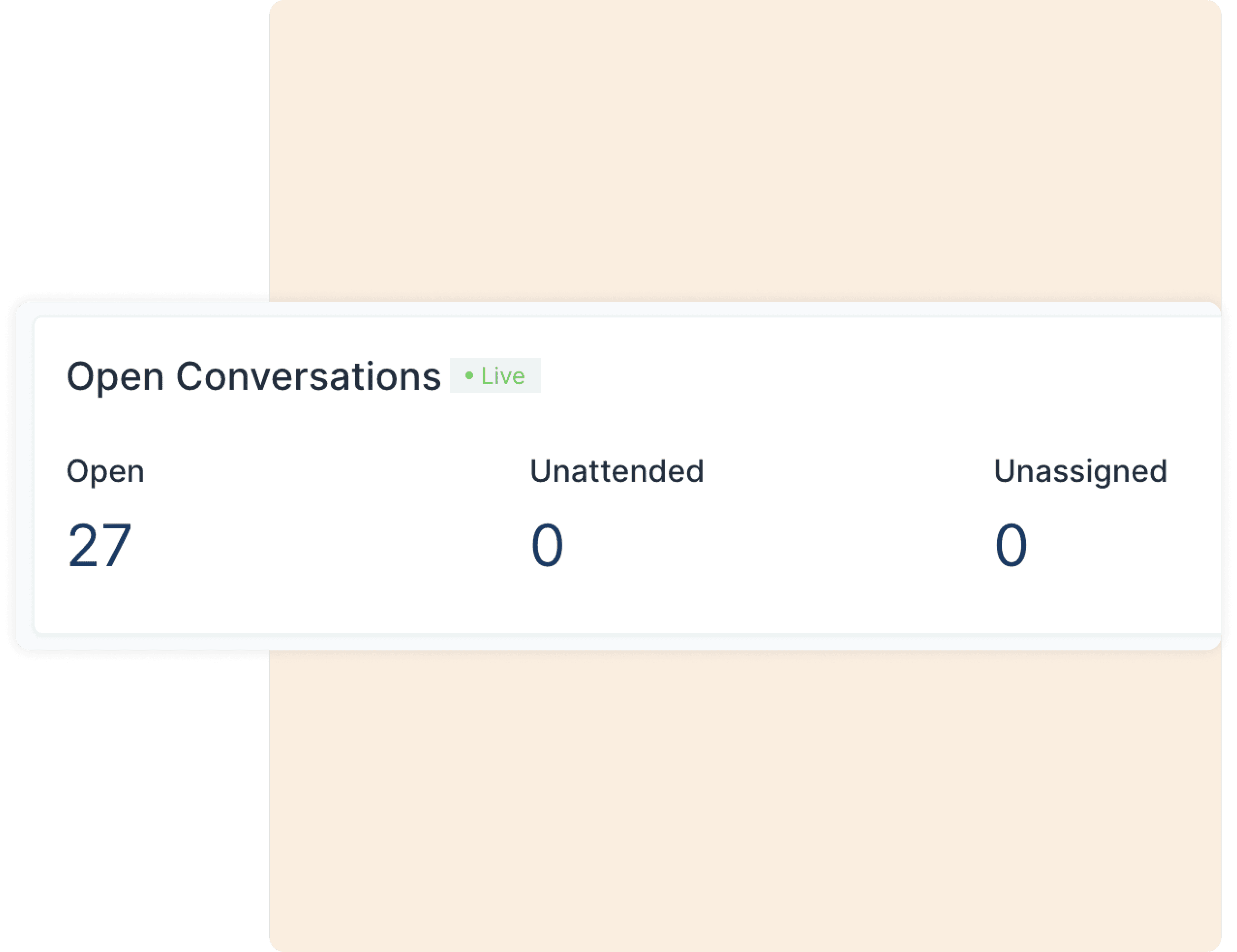
See how many conversations are currently open
On your Reports Overview page, you can see the exact number of conversations that are currently open, unattended, and unassigned. It’s really that simple.
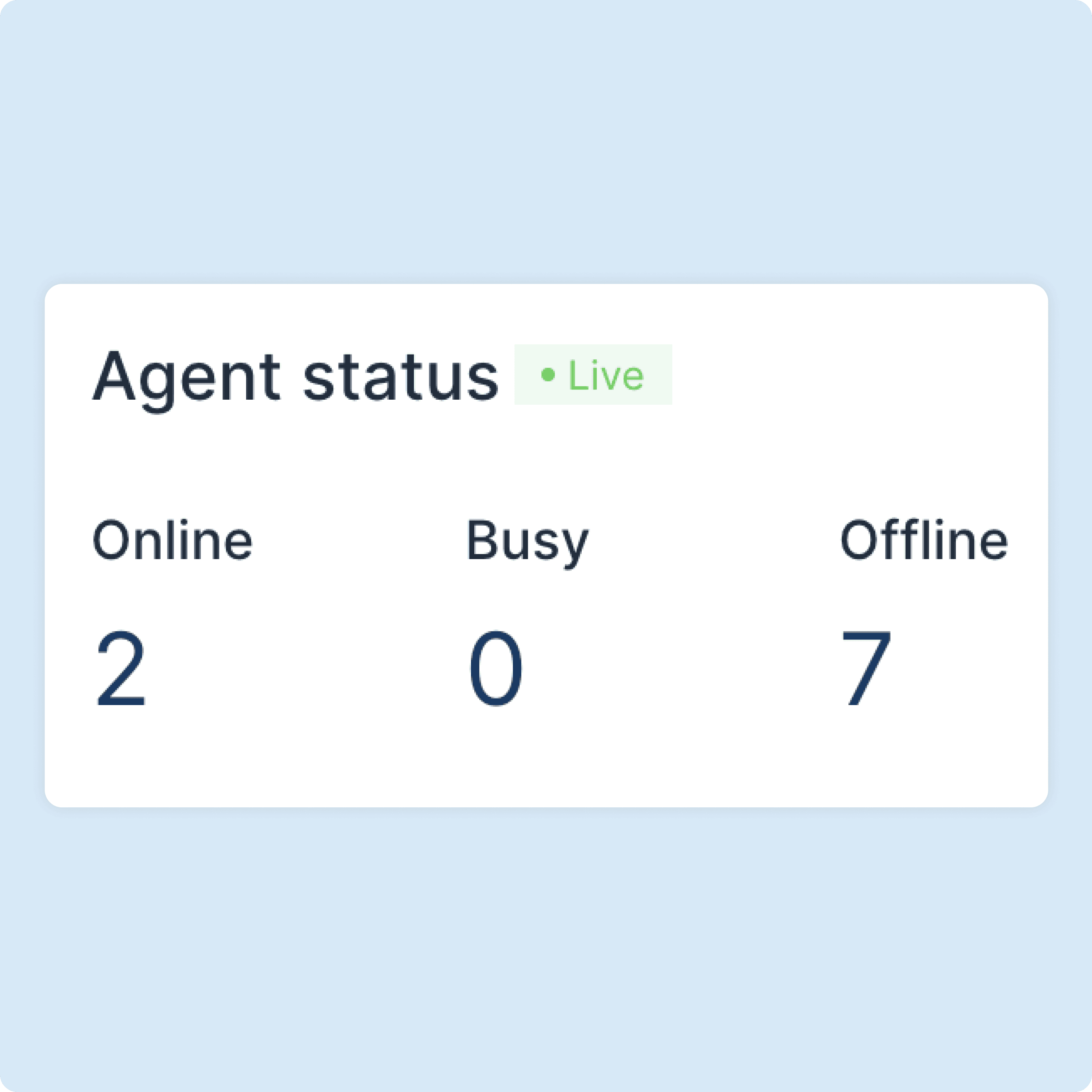
See how many Agents are currently online
You can see the exact number of Agents added to your Driansh OmniConnect account who are currently online, busy, and offline. This helps you judge your organization’s requests-routing capacity at the moment.
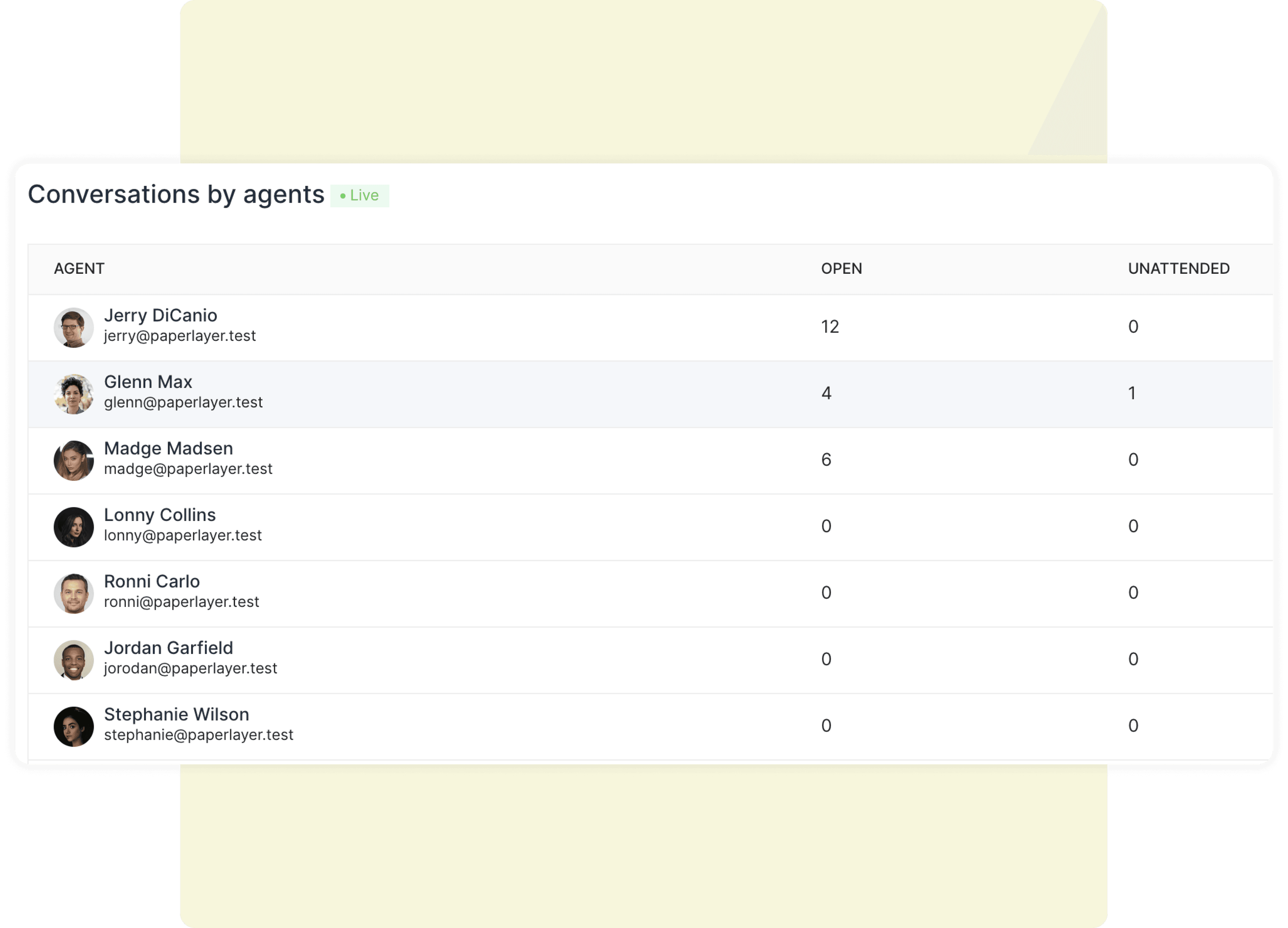
See who is attending how many conversations currently
You can see exactly which agent has how many number of open or unattended conversations at the moment. By default, you’ll see your busiest agents on the top of the list.